Core Web Vitals Explained: How Website Speed Affects SEO and Sales
Here’s a test you can do right now. Pull out your phone, switch off Wi-Fi, and open your own website. Count how long it takes before you could actually read something or tap a button. Then try tapping the menu and notice whether anything jumps around while the page finishes loading.
If that felt slow or clumsy, your customers feel it too, and many of them won’t wait around. They’ll hit back and tap the next result.
Google has a name for this stuff: Core Web Vitals. They’re three measurements of how a page feels to a real person using it. This article explains what they are in plain English, what scores to aim for, how much they really matter for rankings, and what to do if yours are poor.
What Core Web Vitals are
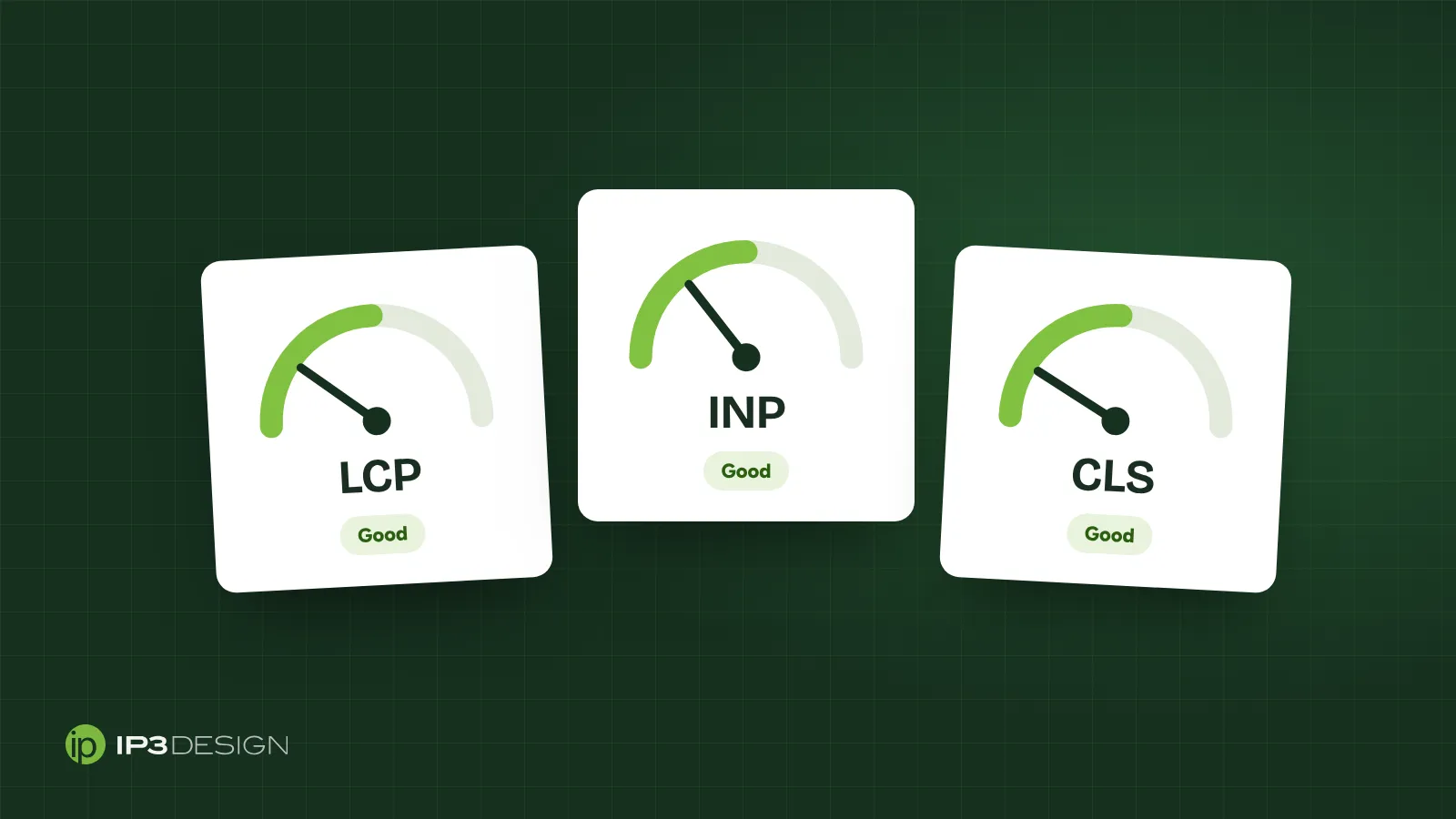
Core Web Vitals are a set of three metrics Google uses to measure the experience of loading and using a web page. Google’s documentation on Core Web Vitals and search results describes them as measuring real-world loading performance, interactivity and visual stability.
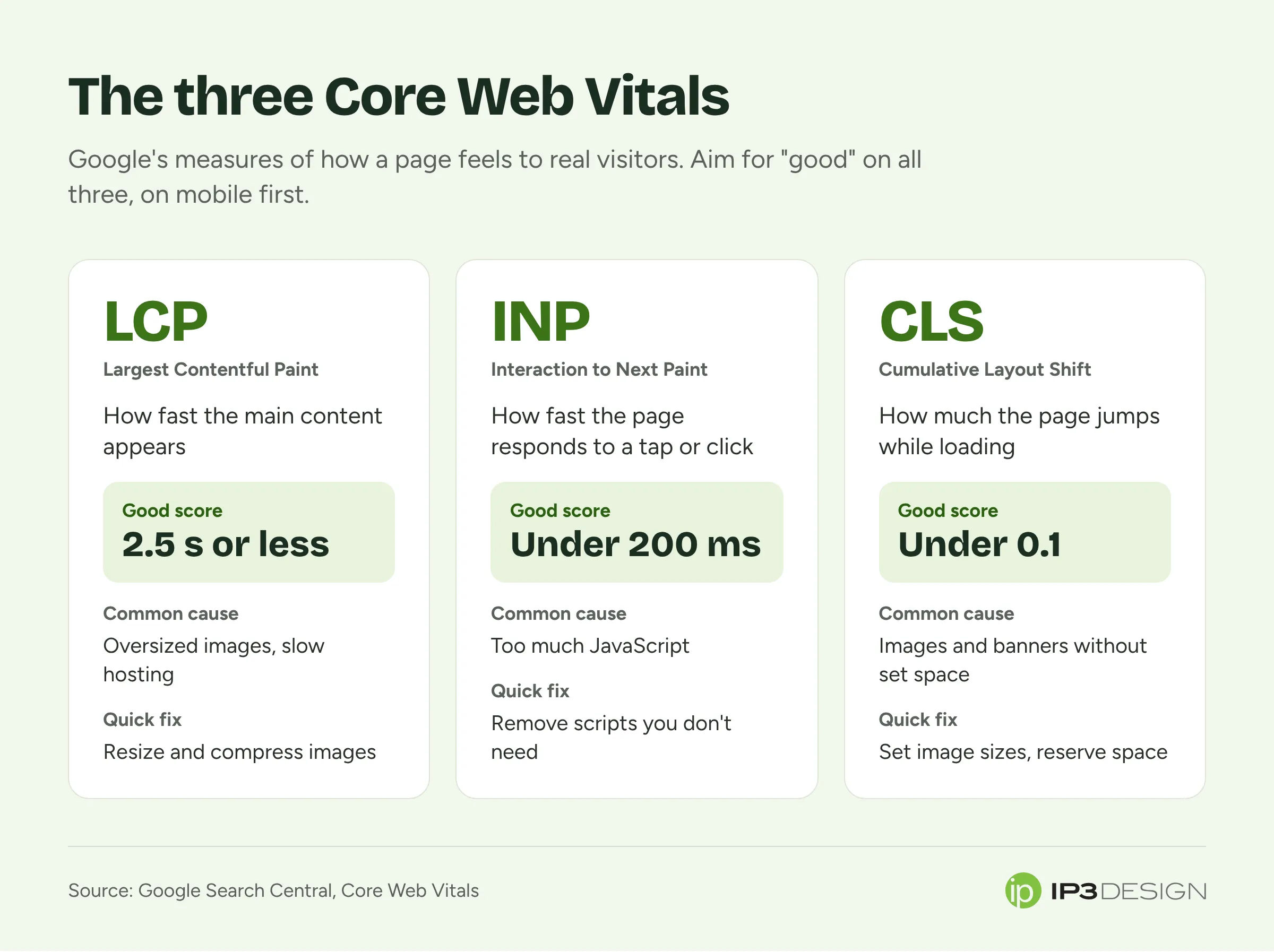
Here they are, with the thresholds Google considers “good”:
| Metric | What it measures | Good |
|---|---|---|
| LCP (Largest Contentful Paint) | How quickly the main content appears | 2.5 seconds or less |
| INP (Interaction to Next Paint) | How quickly the page responds when you tap or click | Under 200 milliseconds |
| CLS (Cumulative Layout Shift) | How much the page jumps around while loading | Under 0.1 |
Let’s take them one at a time.
LCP: does the main content show up fast?
Largest Contentful Paint measures how long it takes for the biggest thing in view, usually a hero image or a large headline, to appear on screen. It’s the closest thing to “how long until this page looks loaded.”
Good is 2.5 seconds or less. On a decent phone connection, a well-built page can do much better than that.
The usual culprits behind a slow LCP:
- Huge images. A photo straight off a camera can be several megabytes. Shown at phone size, it should be a small fraction of that.
- Slow hosting. Cheap shared hosting can take a second or more just to start sending the page.
- Too much code loading first. Themes and plugins that load dozens of scripts and stylesheets before showing anything.
- Web fonts that block text from appearing until they’ve downloaded.
INP: does the page respond when you tap?
Interaction to Next Paint measures how quickly the page visibly responds when someone interacts with it: tapping a menu, clicking a button, typing in a form. Google introduced it to replace an older, less useful metric called First Input Delay.
Good is under 200 milliseconds. Past that, people start to notice the lag, and past half a second they start tapping again or giving up.
Poor INP almost always comes down to too much JavaScript. Chat widgets, sliders, pop-up tools, tracking scripts, page builders and heavy themes all compete for the phone’s processor. While it’s busy running all that, it can’t respond to the person trying to use the page.
CLS: does the page jump around?
Cumulative Layout Shift measures how much the content moves while the page loads. You’ve experienced bad CLS: you go to tap a link, an ad or image loads above it, everything shifts down, and you tap the wrong thing.
Good is a score under 0.1. Unlike the other two, it’s not measured in time but as a score of how much and how far things moved.
The common causes:
- Images and videos without set dimensions, so the browser doesn’t reserve space for them
- Ads, banners and cookie notices that push content down when they appear
- Fonts that swap in and change the size of text after it’s already shown
- Content injected by scripts after the page loads
Do Core Web Vitals affect Google rankings?
Yes, but with some nuance worth understanding.
Google treats Core Web Vitals as part of a broader idea it calls page experience, and says it highly recommends site owners achieve good scores for success in search. What Google doesn’t say is that speed beats everything else. A blazing-fast page with thin, unhelpful content won’t outrank a slower page that genuinely answers the searcher’s question.
The way we explain it to clients: content and relevance decide whether you’re in the race. Page experience helps decide who wins when the competition is close. And for local businesses competing with a handful of similar companies, the competition often is close.
There’s a second reason it matters, which has nothing to do with Google. Slow sites lose customers. Google’s own web.dev guide to Web Vitals frames these metrics around the quality of user experience, and that’s the real point. Every second a visitor stares at a blank screen is a second they might give up. Rankings bring people to your site; speed decides whether they stay long enough to call.
How to check your scores for free
You don’t need to pay anyone to find out where you stand.
PageSpeed Insights
Google’s PageSpeed Insights tool is the easiest starting point. Paste in a page address and it shows two kinds of data:
- Real-user data from people who’ve actually visited your site in Chrome, if your site gets enough traffic. This is what Google uses to judge you.
- Lab data from a simulated test on a mid-range phone. Useful for diagnosing problems, but it’s a simulation.
Test your homepage and your most important service or product pages, not just one. Always look at the mobile results first. Most local searches happen on phones, and that’s where most sites struggle.
Google Search Console
If you’ve set up Search Console, the Core Web Vitals report groups your pages by status (good, needs improvement or poor) based on real visitor data. It’s the best way to spot problems across the whole site rather than one page at a time.
A quick reality check
Don’t obsess over a single lab score. PageSpeed numbers bounce around from test to test. What matters is whether real visitors are getting a good experience over time, and whether your pages pass the three thresholds.
The fixes that make the biggest difference
We’ve sped up a lot of small business websites. The same handful of fixes come up again and again, roughly in order of impact.
Resize and compress your images
This is the biggest win for most sites, and the easiest. Images should be:
- Sized for how they’re displayed, not uploaded at full camera resolution
- Saved in modern formats like WebP or AVIF, which are much smaller than old JPEGs and PNGs
- Served in different sizes for phones and desktops
- Lazy-loaded if they’re further down the page, so they only download when needed
- Given width and height attributes, so the browser reserves space and nothing jumps (that fixes CLS too)
On this very website, every image is converted and resized automatically when we publish. You should never have to think about it.
Cut the scripts you don’t need
Open your site and make a list of every third-party tool running on it: chat widgets, pop-ups, review badges, social feeds, heat-mapping tools, three different analytics trackers. Then ask which of them actually earn their keep.
Every script costs loading time and responsiveness. Removing two or three unused ones can improve INP more than any amount of fine-tuning.
Get better hosting, or a CDN
If your server takes a long time to respond before anything even starts loading, no front-end fix will save you. Moving to a faster host, or putting the site behind a content delivery network that serves it from locations close to your visitors, can shave off a big chunk of loading time.
Load fonts sensibly
Custom fonts make a site look polished, but they add weight. Stick to one or two families, host them yourself, load only the weights you use, and set them to show fallback text immediately rather than leaving a blank space.
Reserve space for anything that loads late
Banners, embeds, ads and cookie notices should have space set aside for them, or appear in a way that doesn’t push content around (like a notice that overlays the bottom of the screen).
Rethink the platform if you have to
Sometimes the honest answer is that the site is built on a heavy theme or page builder that will never be fast, no matter how many optimization plugins get bolted on. Plugins that “fix” speed often just add more code. At that point, a rebuild on a leaner foundation is cheaper over time than endless patching.
That’s the approach we took with our own site: a static site served from a global network, with almost no JavaScript and images optimized automatically. It loads in well under a second on a phone. We build the same way for clients through our website design service.
A special note for online stores
Speed matters even more if you sell online. Product pages tend to be heavy: lots of images, reviews, recommendation widgets, tracking pixels and apps. Each one is a little tax on every visitor.
If you run a Shopify or BigCommerce store, audit your installed apps regularly. Apps you’ve uninstalled sometimes leave code behind in your theme. Product images deserve the same care as above. And test your checkout on a phone, because that’s where slowness costs you the most. We help with all of this as part of our e-commerce design work.
Common questions about website speed
Do I need a perfect 100 score in PageSpeed Insights?
No. The lab score is a diagnostic tool, not a grade Google ranks you on. What matters is whether your real visitors pass the three Core Web Vitals thresholds. Plenty of sites rank well with lab scores in the 80s, and chasing the last few points often costs more than it’s worth.
Does desktop speed matter, or just mobile?
Both are measured, but mobile is where most sites struggle and where most local customers are. Phones have slower processors and patchier connections than a desktop computer on office Wi-Fi. Fix mobile first and desktop usually takes care of itself.
I fixed my site. Why hasn’t Google’s report changed?
The real-user data in Search Console and PageSpeed Insights comes from the Chrome User Experience Report, which looks at visits over a rolling 28-day period. Improvements show up gradually as new visits replace old ones. Give it about a month before judging the results.
Will a speed plugin fix everything?
Caching and optimization plugins can help, especially on WordPress sites. But they work best on a site that’s reasonably lean to begin with. On a heavy theme loaded with page-builder code and a dozen other plugins, they often just add another layer of complexity. Sometimes they even break things, like forms or layouts, in ways nobody notices for weeks.
Should I test pages other than my homepage?
Definitely. The homepage often gets the most attention, but many visitors land straight on a service page, a blog post or a product page from Google. Those pages tend to carry heavier images, embedded videos, maps and review widgets. Test the five or six pages that bring in the most visitors, which Search Console’s Performance report will show you, and fix the slowest ones first.
Is speed worth paying for if my rankings are fine?
Yes, because rankings are only half of it. A faster site turns more of the visitors you already have into customers. If your site is slow and you’re ranking well anyway, you’re likely leaving calls on the table.
What to do this week
If you want a short list to work from:
- Run your homepage and top three pages through PageSpeed Insights on mobile.
- Note which of the three metrics fail.
- Look for oversized images first. They’re the most common problem and the easiest fix.
- List every third-party script and remove the ones nobody would miss.
- If your server response is slow, talk to your host or consider a move.
- Retest in a few weeks once real-user data catches up.
If you’d rather not wade through it yourself, get in touch. We’ll run the tests, explain what we find in plain English, and tell you whether your site needs a tune-up or a fresh start.