Why Your Marketing Emails Go to Spam (and How to Fix It)
You spent an afternoon on your newsletter. Good photos, a solid offer, a subject line you were proud of. You hit send to a few thousand customers, and then… nothing. A trickle of opens. A couple of clicks. A week later, a customer mentions they found it in their spam folder.
This happens to a lot of small businesses, and it’s become more common since the big email providers tightened their rules. The good news is that most deliverability problems have clear causes and clear fixes. This article walks through both, without the jargon.
Why “sent” doesn’t mean “delivered”
When you send an email, it doesn’t go straight into someone’s inbox. It goes to their email provider, such as Gmail, Yahoo or Outlook, and that provider decides what to do with it. It might go to the inbox, the promotions tab or spam, or it might be rejected outright.
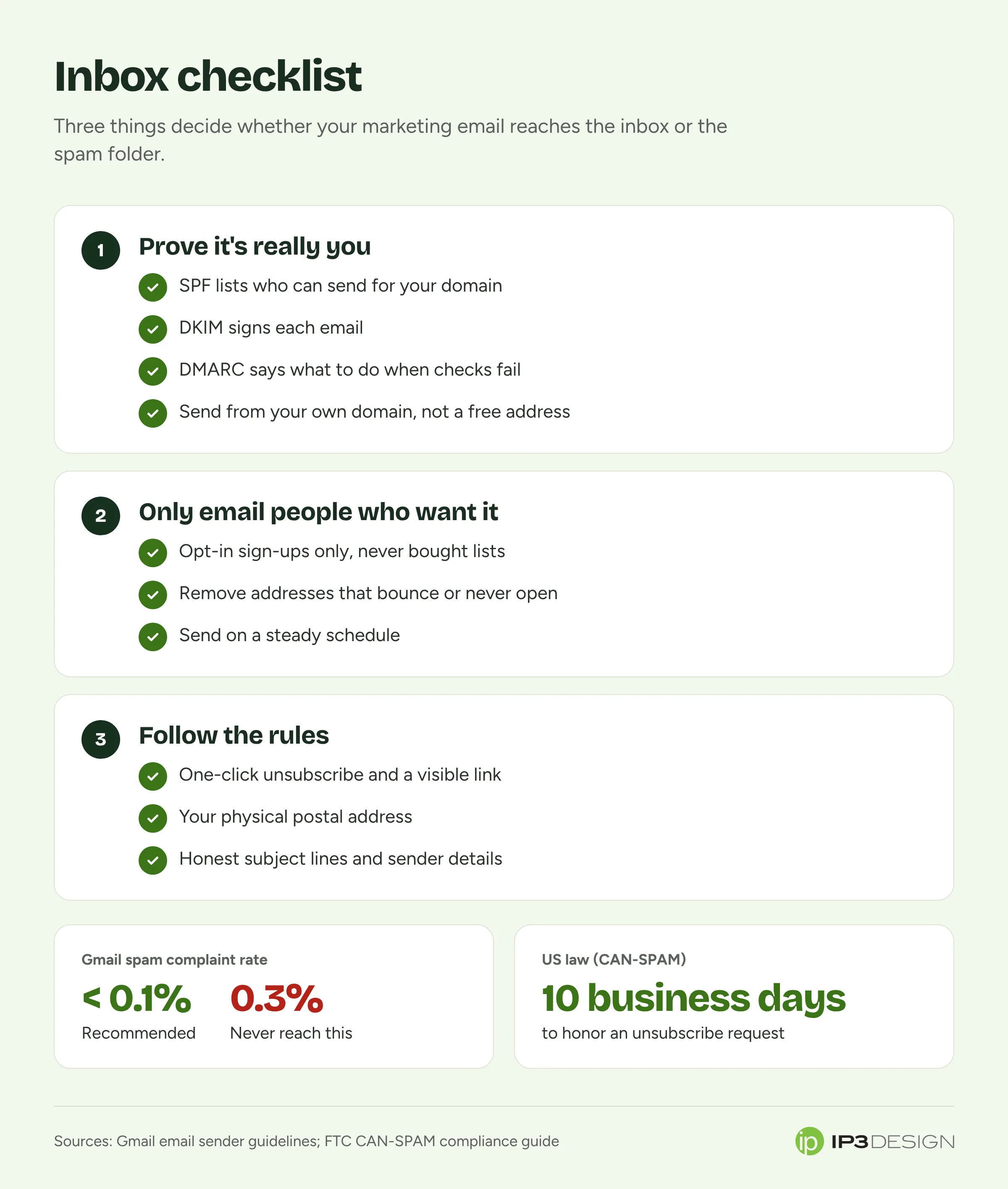
Providers make that decision based on a few big questions:
- Is this sender who they say they are? That’s what email authentication proves.
- Do people want these emails? They judge this by how recipients behave: opening, replying, deleting without reading, marking as spam.
- Does the sender follow the rules? Easy unsubscribes, accurate headers, reasonable sending patterns.
Get those right and you’ll land in the inbox most of the time. Get them wrong and even great content won’t be seen.
The rules changed, and many businesses missed it
In 2024, Google and Yahoo started enforcing stricter requirements for anyone sending email to their users, and other providers have moved in the same direction. Google’s email sender guidelines spell out the details. The headlines:
For everyone sending to Gmail addresses:
- Set up SPF or DKIM authentication for your sending domain.
- Send over a secure (TLS) connection.
- Keep your spam complaint rate, as reported in Google’s Postmaster Tools, below 0.3%. Google recommends staying below 0.1%.
For bulk senders (5,000 or more messages a day to Gmail addresses), on top of that:
- Set up both SPF and DKIM.
- Set up DMARC for your domain (a policy of “none” is the minimum).
- Make sure the “From” address on your emails aligns with your authenticated domain.
- Support one-click unsubscribe on marketing emails, and include a clearly visible unsubscribe link in the message.
You might be thinking, “I’m not sending 5,000 emails a day, so the bulk rules don’t apply to me.” Maybe. But meeting them anyway is the smartest move. The requirements describe what trustworthy email looks like, and providers reward senders who look trustworthy.
Authentication, explained without the jargon
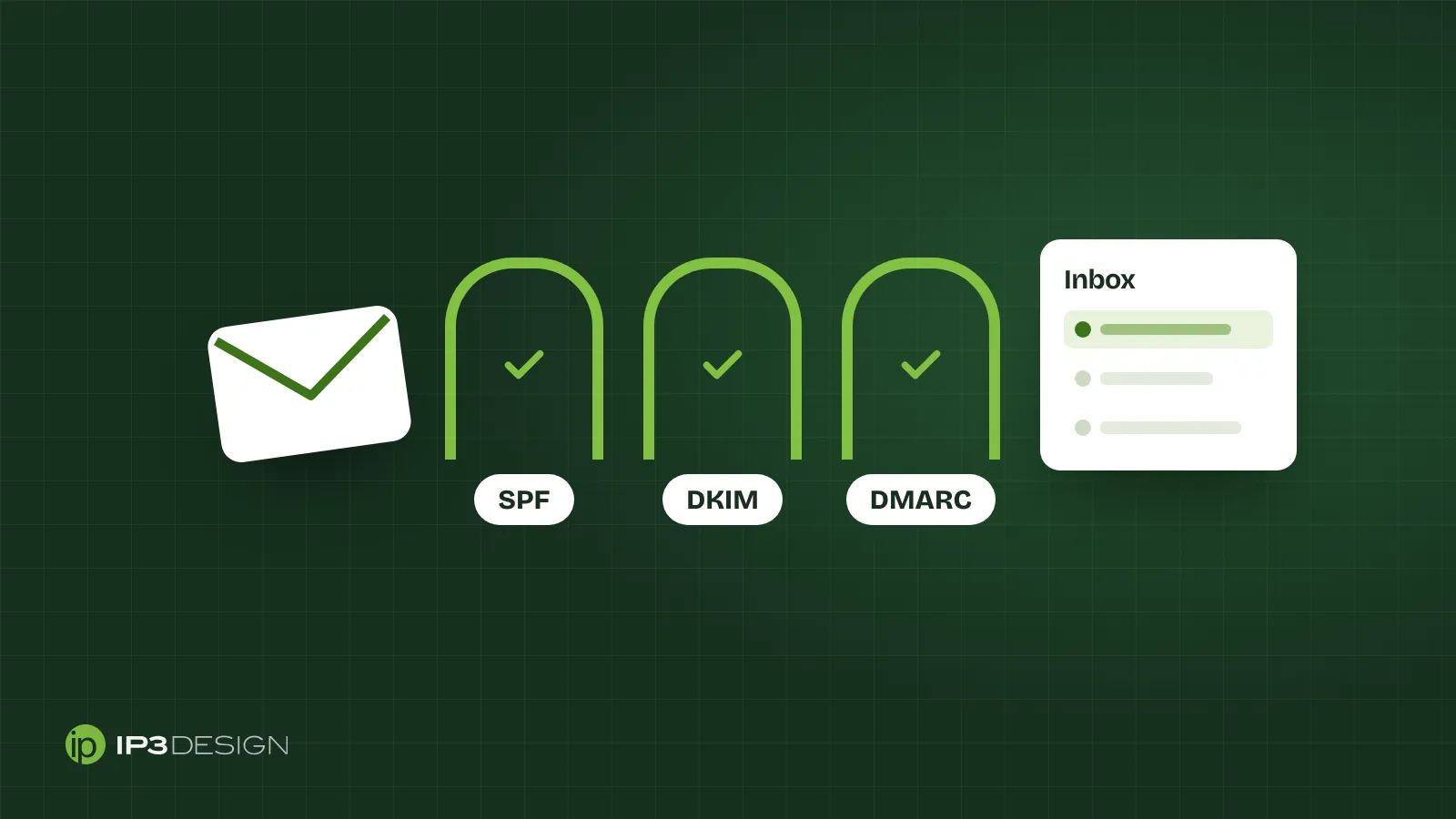
SPF, DKIM and DMARC sound intimidating, but the idea behind them is simple. They’re ways of proving that an email claiming to come from your business really did.
SPF: who’s allowed to send for you
SPF (Sender Policy Framework) is a short note in your domain’s settings that lists which services are allowed to send email on your behalf. If you use Google Workspace for everyday email and Constant Contact for newsletters, both need to be on that list.
A common mistake is having multiple SPF records, or forgetting to add a new service when you start using it. Either can cause legitimate email to fail the check.
DKIM: a tamper-proof signature
DKIM (DomainKeys Identified Mail) adds a digital signature to each email that proves it came from your domain and wasn’t altered on the way. Your email platform gives you the details, and you add them to your domain’s settings. Google recommends a 2048-bit key where your provider supports it.
DMARC: what to do when the checks fail
DMARC ties SPF and DKIM together. It tells receiving providers what to do with email that claims to be from your domain but fails authentication: let it through, send it to spam or reject it. It can also send you reports showing who’s sending email using your domain name, which is often an eye-opener.
Most businesses start with a monitoring-only policy, watch the reports for a few weeks to make sure all their legitimate email passes, and then tighten it. Jumping straight to “reject” without checking can block your own invoices or website notifications.
Send from your own domain
This matters more than people realize. If your newsletters come from a free address like yourbusiness@gmail.com, you can’t authenticate them properly through your email platform, and providers treat them with suspicion. Send from an address on your own domain, like hello@yourbusiness.com, and set up authentication for it.
Spam complaints: the number that matters most
Every time someone clicks “Report spam” on one of your emails, the provider takes note. Gmail wants complaint rates under 0.3%, and ideally under 0.1%. That’s one complaint per thousand emails.
That’s a tight margin. A few hundred people who don’t remember signing up can push you over. Here’s how to keep complaints down.
Only email people who asked to hear from you
This is the big one. Buying email lists, scraping addresses from websites, or adding everyone who ever handed you a business card is the fastest route to the spam folder. These people didn’t ask for your emails, so they report them.
Build your list the slow way: sign-up forms on your website, a checkbox at checkout, a sign-up sheet at your counter or event. Tell people what they’re signing up for and how often you’ll write.
Make unsubscribing easy
It seems backwards, but making it easy to leave keeps your list healthier. If someone can’t find the unsubscribe link, they’ll hit “Report spam” instead, and that does far more damage than losing a subscriber.
Put a clear unsubscribe link in every email, and use a platform that supports one-click unsubscribe. Reputable email platforms like Constant Contact handle this for you.
Clean your list regularly
Addresses go stale. People change jobs, abandon old accounts and lose interest. Sending to addresses that bounce or never open hurts your reputation.
Every few months, look at subscribers who haven’t opened anything in six months or a year. Send them a short “Do you still want to hear from us?” email, and remove the ones who don’t respond. Your list gets smaller, and your results get better.
Send consistently
Going silent for a year and then blasting your whole list is a classic way to trigger complaints. People forget who you are. A steady rhythm, even just once a month, keeps you familiar.
Content that helps (and hurts)
Authentication and permission matter most, but content plays a part too.
Things that help:
- A recognizable sender name, ideally your business name or a real person at the business
- Honest subject lines that match what’s inside
- A good balance of text and images, rather than one giant image with no text
- Mobile-friendly design, since most email gets opened on a phone
- Content people actually want: useful tips, real offers, news that matters to them
Things that hurt:
- Misleading subject lines like “Re: your order” when there was no order
- Link shorteners and lots of links to unrelated domains
- Huge attachments
- Emails that are just one big image, which looks spammy and is unreadable when images are blocked
Don’t forget the law
Separate from what Gmail wants, US law sets rules for commercial email. The FTC’s CAN-SPAM compliance guide covers them in detail. Among other things, your marketing emails must:
- Use accurate “From,” “To” and routing information
- Have a subject line that reflects the content
- Identify the message as an advertisement
- Include a valid physical postal address
- Tell recipients how to opt out, honor opt-out requests within 10 business days, and keep the opt-out working for at least 30 days after you send
The penalties are serious. Each violating email can carry a penalty of up to $53,088. And hiring someone else to send your email doesn’t take you off the hook. Both the business being promoted and the sender can be held responsible.
A quick diagnostic if you’re landing in spam
If your emails are already struggling, work through these in order:
- Check authentication. Send a test to a Gmail account, open it, and choose “Show original.” Look for SPF, DKIM and DMARC results. They should all say PASS.
- Check your sending address. Is it on your own domain? It should be.
- Set up Google Postmaster Tools for your domain to see your spam complaint rate and reputation over time.
- Look at where your list came from. Any purchased or scraped addresses? Remove them.
- Look at engagement. Remove or re-confirm subscribers who haven’t opened in a long time.
- Look at frequency. Big gaps followed by big blasts? Settle into a steady schedule.
- Review your last few emails for misleading subject lines, image-only designs or link-heavy layouts.
Most of the time, the problem turns up in the first four steps.
Email for online stores
If you sell online, a lot of your most valuable email isn’t newsletters at all. It’s order confirmations, shipping updates and abandoned-cart reminders. These need to arrive reliably, and they share your domain’s reputation with your marketing emails. Make sure your store platform’s emails are authenticated on your domain too. We set this up as part of our e-commerce design work, because nothing frustrates a new customer like a receipt that never shows up.
What to measure once you’re in the inbox
Getting delivered is step one. After that, a few numbers tell you whether your emails are actually working:
- Click rate: the share of people who clicked a link. It’s the most reliable sign that your content is interesting.
- Unsubscribe rate: a few unsubscribes after every send is normal and healthy. A sudden jump means something about that email missed the mark.
- Bounce rate: a high bounce rate means your list needs cleaning.
- Spam complaints: check Postmaster Tools for Gmail and keep them well under 0.1%.
- Results: sales, bookings, calls or replies. That’s what the emails are for.
A word of caution about open rates: they’re less reliable than they used to be. Some email apps, including Apple Mail, now load images automatically for privacy reasons, which can make an email look opened when it wasn’t. Use opens as a rough trend, and lean on clicks and results instead.
Common questions
How often should a small business send marketing emails?
Often enough that people remember you, and rarely enough that each email is worth opening. For most small businesses, that’s somewhere between twice a month and once a month. Retailers with frequent new products or offers can usually send more. Whatever you choose, be consistent, and tell people the schedule when they sign up.
Is it okay to email past customers who never signed up?
Be careful here. Depending on your situation, the law may allow it, but providers judge you on complaints, not legal technicalities. If past customers don’t expect to hear from you, they’re more likely to mark your email as spam. A good middle ground is one friendly email inviting them to join your list, then only continuing with the people who say yes.
Do I need a separate domain for marketing emails?
Not usually. Most small businesses do fine sending everyday email and newsletters from the same domain, as long as both are authenticated properly. Some larger senders use a subdomain, like news.yourbusiness.com, for marketing so that any reputation problems with bulk mail don’t affect invoices and one-to-one email. If you send a lot of marketing email, it’s worth a conversation; for most local businesses, getting authentication right on your main domain matters far more.
Why do my emails land in the Promotions tab?
Gmail’s Promotions tab isn’t spam. It’s where Gmail puts marketing email, and your subscribers still see it. Trying to trick your way into the main inbox usually backfires. Focus on emails people look forward to, and they’ll find them wherever they land.
Let us handle it
Email marketing still delivers some of the best returns of any channel when it actually reaches the inbox. As a Constant Contact partner, we set up authentication properly, build and clean your list, design emails that look good on any phone, and report on what’s working. Learn more about our email marketing services, or get in touch and we’ll check your setup for free.